> ## Documentation Index
> Fetch the complete documentation index at: https://agenticadvertisingorg-feature-feedback.mintlify.site/llms.txt
> Use this file to discover all available pages before exploring further.
# Commerce Media
> Commerce media in AdCP: why retail media networks should stand up agentic storefronts instead of building self-service platforms, and how to model sponsored products, in-store digital, and closed-loop attribution.
Every retail media network that builds a self-service ad platform ends up in the same place: competing for agency attention against the largest grocery, pharmacy, and general merchandise retailers — each asking brands to learn one more interface, manage one more login, reconcile one more set of reports.
There's an alternative. Stand up an agentic storefront: expose your inventory so buyer agents can discover, transact on, and measure it through the same protocol they use for every other seller. When agents handle discovery, the advantage shifts from UI quality to data quality — and data is where most retailers already have a moat.
## The storefront, not the platform
 Daniel runs retail media at ShopGrid, a marketplace with 200M monthly shoppers and deterministic purchase data from its loyalty program. When he was tasked with building ShopGrid's ad business, the roadmap looked familiar: self-service campaign tool, proprietary audience builder, custom reporting dashboard, eventually a DSP.
He got halfway through the build before he realized the problem. The brands ShopGrid wanted to attract — CPG companies, health and beauty brands, consumer electronics — were already managing campaigns across a dozen retail media platforms. Each platform had its own API, its own audience taxonomy, its own reporting format. Asking brands to integrate yet another platform meant competing on UI quality against companies with 100x the engineering budget.
Daniel runs retail media at ShopGrid, a marketplace with 200M monthly shoppers and deterministic purchase data from its loyalty program. When he was tasked with building ShopGrid's ad business, the roadmap looked familiar: self-service campaign tool, proprietary audience builder, custom reporting dashboard, eventually a DSP.
He got halfway through the build before he realized the problem. The brands ShopGrid wanted to attract — CPG companies, health and beauty brands, consumer electronics — were already managing campaigns across a dozen retail media platforms. Each platform had its own API, its own audience taxonomy, its own reporting format. Asking brands to integrate yet another platform meant competing on UI quality against companies with 100x the engineering budget.
 ShopGrid's moat wasn't going to be its dashboard. The moat was the data: deterministic purchase attribution from millions of loyalty members, real-time inventory across thousands of stores, and in-store digital screens at the point of purchase. The question was how to make that data and inventory accessible to the broadest possible set of buyers.
 Daniel stood up an AdCP sales agent instead. ShopGrid's entire retail media catalog — sponsored products, on-site display, in-store screens — is exposed as products that any buyer agent can discover via `get_products`. The loyalty data powers closed-loop attribution reported through standard delivery metrics. The store locations are modeled as catalogs with catchment areas for proximity targeting.
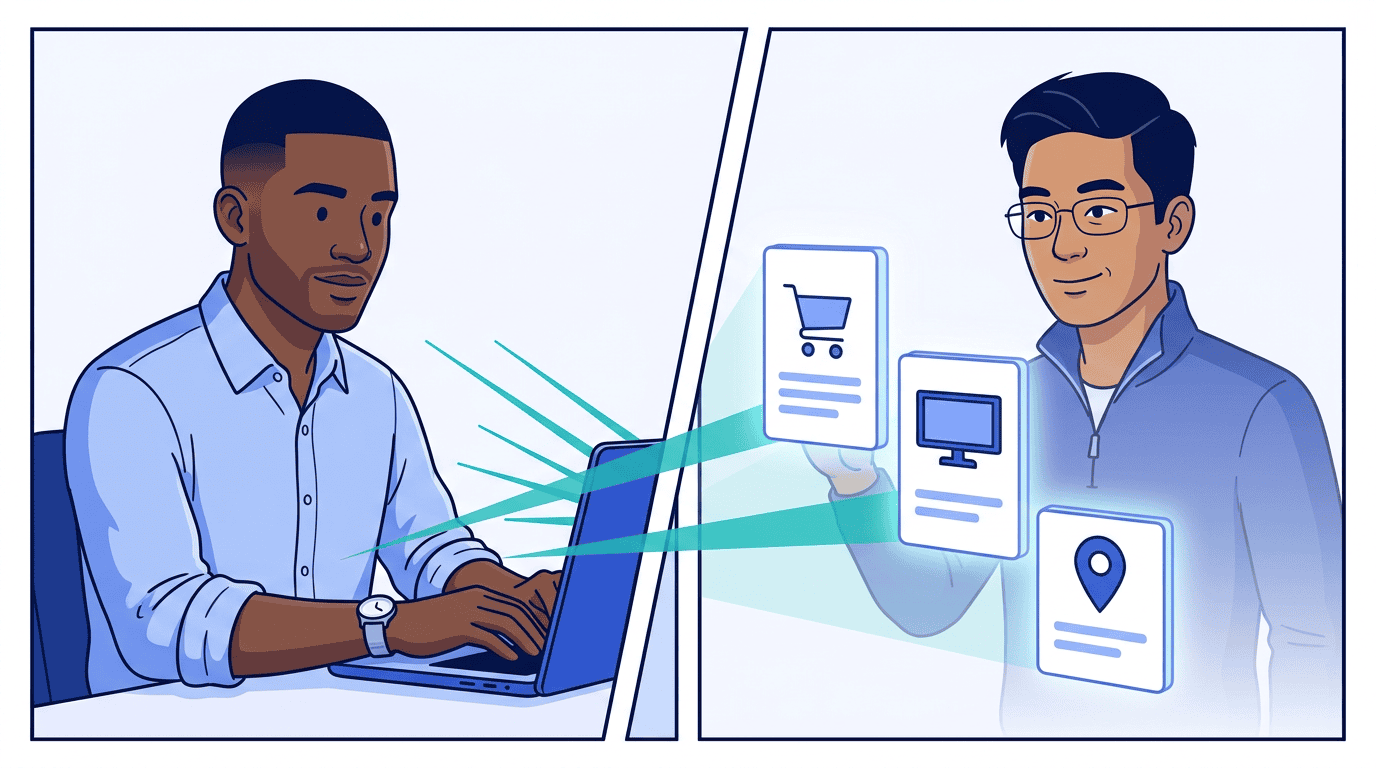 The result: any buyer agent that speaks AdCP can transact on ShopGrid inventory without a custom integration. Sam at Pinnacle Agency discovered ShopGrid's sponsored products while running a cross-retailer campaign for Summit Foods — through the same protocol and brief he used for other retailers.
What every retail media team actually wants is the control of self-serve, the ease of managed service, and all the data in their own internal tools. A self-service platform gives you control but requires massive engineering investment. Managed service is easy for buyers but doesn't scale. An agentic storefront resolves the tension: the retailer defines the products, pricing, and rules (control); buyer agents handle discovery and execution without a sales rep in the loop (ease); and because the retailer runs the MCP server, every transaction flows through their infrastructure (data stays home).
This doesn't mean ShopGrid abandoned everything else. Brands that aren't using buyer agents still need basic self-service access. But the agentic storefront is the growth layer — it's how ShopGrid reaches buyers who would never have integrated a mid-size retailer's proprietary platform.
The table below maps familiar retail media concepts to their AdCP equivalents.
## Concept mapping
| Retail media concept | AdCP equivalent | Reference |
| --------------------------------------- | --------------------------------------------------------------------------------------------------------------------------------------- | ----------------------------------------------------------------------------- |
| Retailer / retail media network | Sales agent (MCP server) | [`adagents.json`](/docs/media-buy/advanced-topics/accounts-and-security) |
| Advertiser account with retailer | `account_id` + `list_accounts` | [Accounts & Agents](/docs/building/integration/accounts-and-agents) |
| Brand's product catalog | `brand.product_catalog` | [Brand identity](/docs/brand-protocol/brand-json) |
| GTIN / SKU selection for promotion | Catalog selectors (`ids`, `gtins`, `tags`) on `Catalog` | [Catalogs](/docs/creative/catalogs) |
| Sponsored product listing | Product with catalog-rendered creative | [Creative Formats](/docs/creative/formats) |
| On-site display / video | Product with standard `format_ids` | [Media Products](/docs/media-buy/product-discovery/media-products) |
| Retailer-owned shopper signal | Brief-based; optional named segments discovered in `signal_targeting_options` and selected with package-level `signal_targeting_groups` | [Targeting](/docs/media-buy/advanced-topics/targeting) |
| ROAS target / max conversions | `optimization_goals` on package | [Optimization & Reporting](/docs/media-buy/media-buys/optimization-reporting) |
| Closed-loop measurement | `outcome_measurement` + `conversion_tracking` on product | [Delivery Reporting](/docs/media-buy/task-reference/get_media_buy_delivery) |
| Attribution window (14d click, 1d view) | `attribution_window` in delivery response | [Delivery Reporting](/docs/media-buy/task-reference/get_media_buy_delivery) |
| ROAS / attributed revenue | `roas`, `conversion_value` in delivery metrics | [Delivery Reporting](/docs/media-buy/task-reference/get_media_buy_delivery) |
| In-store attribution | `by_action_source` with `in_store` | [Delivery Reporting](/docs/media-buy/task-reference/get_media_buy_delivery) |
| Store locations / store locator | Store catalog (seller-provided or buyer-synced) | [Catalogs — Stores](/docs/creative/catalogs#stores) |
| Real-time inventory / in-stock | Inventory catalog via `sync_catalogs` | [Catalogs](/docs/creative/catalogs) |
| Proximity / catchment targeting | Store catchment areas (isochrone, radius, GeoJSON) | [Catalogs — Catchment areas](/docs/creative/catalogs#catchment-areas) |
Each retailer is a separate sales agent. Their media offerings are modeled as products. The buyer's brand identity carries the product catalog for SKU-level creative rendering. Account relationships between brands and retailers are managed via `list_accounts` and `account` on media buys — see [Accounts & Agents](/docs/building/integration/accounts-and-agents).
## The product spectrum
Retail media networks offer diverse product types — not just sponsored listings. All share the `retail_media` channel, but differ in format, pricing, and creative requirements. Daniel modeled ShopGrid's full portfolio as separate products so buyer agents can mix and match across the funnel.
### Sponsored product listings
The simplest commerce media product. The retailer renders the creative from the buyer's product catalog — no custom creative upload needed. Pricing is typically CPC.
```json theme={null}
{
"product_id": "shopgrid_sponsored_products",
"name": "Sponsored Products - Search & Browse",
"description": "Sponsored product listings in search results and category pages. Products are rendered from retailer catalog data.",
"channels": ["retail_media"],
"publisher_properties": [
{ "publisher_domain": "shopgrid.example", "selection_type": "all" }
],
"format_ids": [
{ "agent_url": "https://ads.shopgrid.example", "id": "sponsored_product_listing" }
],
"delivery_type": "non_guaranteed",
"pricing_options": [
{
"pricing_option_id": "sp_cpc",
"pricing_model": "cpc",
"floor_price": 0.25,
"price_guidance": { "p50": 0.85, "p75": 1.20 },
"currency": "USD",
"min_spend_per_package": 50
}
],
"delivery_measurement": {
"provider": "ShopGrid deterministic purchase attribution",
"notes": "Deterministic purchase attribution from first-party shopper data. 14-day lookback."
},
"outcome_measurement": {
"type": "attributed_sales",
"attribution": "deterministic_purchase",
"window": { "interval": 14, "unit": "days" },
"reporting": "daily_api"
},
"conversion_tracking": {
"action_sources": ["website", "app", "in_store"],
"supported_targets": ["cost_per", "per_ad_spend"],
"platform_managed": true
},
"creative_policy": {
"co_branding": "none",
"landing_page": "any",
"templates_available": true
},
"catalog_types": ["product"],
"catalog_match": {
"matched_gtins": ["00013000006408", "00013000006415", "00013000006422"],
"matched_count": 3,
"submitted_count": 1200
}
}
```
The `catalog_types` field declares what catalog types this product supports. The `catalog_match` field tells the buyer which of their catalog items are eligible on this retailer. Buyers use these values as catalog selectors (`gtins`, `ids`) when creating media buys — the same way `publisher_properties` lists available properties for refinement. Sellers can include `matched_gtins`, `matched_ids`, or both.
Sponsored product listings are catalog-rendered — the retailer pulls title, price, image, and rating from its own catalog data matched via GTIN. Enhanced product content (comparison charts, lifestyle galleries, brand story modules) and brand stores are complementary content strategies managed through the retailer's content systems, not through the ad buy.
Key characteristics:
* **CPC pricing** with auction-based bidding
* **`platform_managed: true`** — the retailer provides always-on purchase attribution
* **`supported_targets`** — tells buyers which target kinds are available when setting `optimization_goals` on packages
* **`templates_available: true`** — the retailer renders creatives from catalog data
* **`action_sources`** includes `in_store` for omnichannel attribution
### On-site display and video
Display and video ads on retailer properties, targeted using retailer first-party shopper data. Buyers provide standard creatives. Higher minimums and CPMs reflect the value of retailer audience data and guaranteed placement.
```json theme={null}
{
"product_id": "shopgrid_onsite_display",
"name": "Category Shoppers - On-Site Display & Video",
"description": "Display and video ads on ShopGrid marketplace and app, targeting shoppers with relevant purchase history.",
"channels": ["retail_media"],
"publisher_properties": [
{ "publisher_domain": "shopgrid.example", "selection_type": "all" }
],
"format_ids": [
{ "agent_url": "https://creative.adcontextprotocol.org", "id": "display_300x250" },
{ "agent_url": "https://creative.adcontextprotocol.org", "id": "display_728x90" },
{ "agent_url": "https://creative.adcontextprotocol.org", "id": "video_15s" }
],
"delivery_type": "guaranteed",
"pricing_options": [
{
"pricing_option_id": "onsite_cpm",
"pricing_model": "cpm",
"fixed_price": 14.00,
"currency": "USD",
"min_spend_per_package": 10000
}
],
"delivery_measurement": {
"provider": "Retailer ad server with IAS viewability",
"notes": "Impressions per IAB guidelines. MRC-accredited viewability."
},
"outcome_measurement": {
"type": "incremental_sales_lift",
"attribution": "deterministic_purchase",
"window": { "interval": 30, "unit": "days" },
"reporting": "weekly_dashboard"
},
"conversion_tracking": {
"action_sources": ["website", "app"],
"supported_targets": ["cost_per", "per_ad_spend"],
"platform_managed": true
},
"creative_policy": {
"co_branding": "required",
"landing_page": "retailer_site_only",
"templates_available": true
}
}
```
Note the creative policy: retailers commonly require co-branding and restrict landing pages to the retailer's own site.
### Off-site audience extension
The retailer uses first-party purchase data to target audiences on third-party inventory — extending reach beyond the retailer's own site. The product still belongs to the `retail_media` channel because the buying context is the retailer's data asset.
```json theme={null}
{
"product_id": "shopgrid_offsite_extension",
"name": "Shopper Audiences - Off-Site Display & Video",
"description": "Reach ShopGrid shoppers across premium display and video inventory using first-party purchase data.",
"channels": ["retail_media"],
"publisher_properties": [
{ "publisher_domain": "shopgrid.example", "selection_type": "all" }
],
"format_ids": [
{ "agent_url": "https://creative.adcontextprotocol.org", "id": "display_300x250" },
{ "agent_url": "https://creative.adcontextprotocol.org", "id": "video_15s" }
],
"delivery_type": "guaranteed",
"pricing_options": [
{
"pricing_option_id": "offsite_cpm",
"pricing_model": "cpm",
"fixed_price": 13.50,
"currency": "USD",
"min_spend_per_package": 10000
}
],
"delivery_measurement": {
"provider": "Self-reported impressions from proprietary ad server",
"notes": "Impressions counted per IAB guidelines. Viewability via IAS."
},
"outcome_measurement": {
"type": "incremental_sales_lift",
"attribution": "deterministic_purchase",
"window": { "interval": 30, "unit": "days" },
"reporting": "weekly_dashboard"
},
"conversion_tracking": {
"action_sources": ["website", "app", "in_store"],
"supported_targets": ["cost_per", "per_ad_spend"],
"platform_managed": true
}
}
```
### Premium placements
Homepage takeovers, category sponsorships, seasonal event placements. These high-visibility positions are sold at fixed rates with guaranteed delivery — often booked well in advance.
```json theme={null}
{
"product_id": "shopgrid_homepage_takeover",
"name": "Homepage Takeover - 24 Hours",
"description": "Exclusive homepage banner and hero placement for 24 hours.",
"channels": ["retail_media"],
"publisher_properties": [
{ "publisher_domain": "shopgrid.example", "selection_type": "all" }
],
"format_ids": [
{ "agent_url": "https://creative.adcontextprotocol.org", "id": "display_970x250" },
{ "agent_url": "https://creative.adcontextprotocol.org", "id": "display_300x250" }
],
"placements": [
{
"kind": "seller_inline",
"placement_id": "homepage_hero",
"name": "Homepage Hero Banner",
"mode": "targetable",
"format_ids": [{ "agent_url": "https://creative.adcontextprotocol.org", "id": "display_970x250" }]
},
{
"kind": "seller_inline",
"placement_id": "homepage_sidebar",
"name": "Homepage Sidebar",
"mode": "targetable",
"format_ids": [{ "agent_url": "https://creative.adcontextprotocol.org", "id": "display_300x250" }]
}
],
"delivery_type": "guaranteed",
"pricing_options": [
{
"pricing_option_id": "takeover_flat",
"pricing_model": "flat_rate",
"fixed_price": 50000.00,
"currency": "USD"
}
],
"delivery_measurement": {
"provider": "Retailer ad server",
"notes": "Guaranteed impressions based on homepage traffic projections."
},
"outcome_measurement": {
"type": "attributed_sales",
"attribution": "deterministic_purchase",
"window": { "interval": 14, "unit": "days" },
"reporting": "daily_api"
},
"creative_policy": {
"co_branding": "required",
"landing_page": "retailer_site_only",
"templates_available": false
}
}
```
Premium placements use the `placements` array so buyers can assign different creatives to different positions within the same product.
### In-store digital
Digital screens in physical retail locations — checkout lanes, end-caps, entrance displays, and waiting areas. These bridge the digital-physical gap, with measurement tied to in-store purchases. When paired with a synced store catalog, in-store digital products can target specific locations and show inventory-aware creative.
In-store is where retail media networks have inventory that no one else can replicate. A retailer with thousands of physical locations has screens at the point of purchase — reaching shoppers while they're browsing aisles, comparing products at the shelf, and waiting in line. Many of these shoppers never see digital ads elsewhere: they shop in-store exclusively, making them unreachable through online channels.
```json theme={null}
{
"product_id": "shopgrid_instore_screens",
"name": "In-Store Digital Screens",
"description": "Digital screens at checkout lanes, end-cap displays, and pharmacy waiting areas across 2,000+ locations.",
"channels": ["retail_media"],
"publisher_properties": [
{ "publisher_domain": "shopgrid.example", "selection_type": "all" }
],
"format_ids": [
{ "agent_url": "https://creative.adcontextprotocol.org", "id": "display_1080x1920" },
{ "agent_url": "https://creative.adcontextprotocol.org", "id": "video_15s" }
],
"placements": [
{
"kind": "seller_inline",
"placement_id": "checkout_screen",
"name": "Checkout Lane Screens",
"mode": "targetable",
"format_ids": [
{ "agent_url": "https://creative.adcontextprotocol.org", "id": "display_1080x1920" },
{ "agent_url": "https://creative.adcontextprotocol.org", "id": "video_15s" }
]
},
{
"kind": "seller_inline",
"placement_id": "endcap_screen",
"name": "Aisle End-Cap Displays",
"mode": "targetable",
"format_ids": [
{ "agent_url": "https://creative.adcontextprotocol.org", "id": "display_1080x1920" }
]
},
{
"kind": "seller_inline",
"placement_id": "pharmacy_waiting",
"name": "Pharmacy Waiting Area",
"mode": "targetable",
"format_ids": [
{ "agent_url": "https://creative.adcontextprotocol.org", "id": "display_1080x1920" },
{ "agent_url": "https://creative.adcontextprotocol.org", "id": "video_15s" }
]
}
],
"delivery_type": "guaranteed",
"pricing_options": [
{
"pricing_option_id": "instore_cpm",
"pricing_model": "cpm",
"fixed_price": 12.00,
"currency": "USD",
"min_spend_per_package": 5000
}
],
"delivery_measurement": {
"provider": "Venue traffic sensors",
"notes": "Impressions estimated from foot traffic data. Updated weekly."
},
"conversion_tracking": {
"action_sources": ["in_store"],
"platform_managed": true
},
"creative_policy": {
"co_branding": "none",
"landing_page": "any",
"templates_available": true
}
}
```
Different screen placements have different creative requirements. Checkout screens offer 30-90 seconds of captive dwell time with a stationary shopper at close range. End-cap displays catch shoppers walking past with 2-3 seconds of glance time from further away. Pharmacy waiting areas have extended dwell time and a seated audience. Most in-store networks are silent — creative should be designed for sound-off unless the placement specifies otherwise.
In-store products pair with the retailer's store catalog. The catalog exposes store locations with catchment areas (radius, isochrone, or GeoJSON polygons), enabling buyer agents to target specific geographies or store clusters. When combined with the brand's product catalog, in-store screens can show contextually relevant creative — the right product, in the right store, near the right shelf.
### Beyond these examples
Retail media portfolios often extend beyond the five product types above. Sponsored brand ads — a headline, brand logo, and 2-3 featured products — sit between sponsored product listings and display, with a custom headline from the buyer and catalog-rendered product tiles. Digital coupons and cashback offers tie directly to purchase and don't fit neatly into impression-based models — they can be modeled as products with CPA pricing and `conversion_tracking`. Sponsored placements in retailer email newsletters and app push notifications are high-performing, low-funnel products modeled the same way as on-site display with different `format_ids`. Shoppable video — where products are tagged within the video frame and viewers can add items to cart — combines video formats with catalog-rendered product overlays. Keyword-level search sponsorships, sampling programs, and recipe integrations each have distinct economics but follow the same pattern: a product with the right pricing model, format, and measurement declarations.
## End-to-end workflow
### Brand with product catalog
The buyer provides a brand reference that includes their product catalog feed. This enables SKU-level targeting and catalog-rendered creatives:
```json theme={null}
{
"name": "Summit Foods",
"url": "https://summitfoods.example.com",
"product_catalog": {
"feed_url": "https://summitfoods.example.com/products.xml",
"feed_format": "google_merchant_center",
"categories": ["food/sauces", "food/condiments", "beverages"],
"update_frequency": "daily"
}
}
```
The feed contains GTINs, titles, prices, and images — everything needed to render sponsored product listings and match products across retailers.
### Sync catalogs to the account
Before creating media buys, sync the brand's data feeds to the retailer's account via `sync_catalogs`. This builds account state that creatives and targeting reference at serve time. See [Account state](/docs/building/integration/account-state) for how this fits the broader setup sequence.
```json theme={null}
{
"account": { "account_id": "acct_summitfoods_shopgrid_001" },
"catalogs": [
{
"catalog_id": "product-feed",
"name": "Summit Foods Product Catalog",
"type": "product",
"url": "https://summitfoods.example.com/products.xml",
"feed_format": "google_merchant_center",
"update_frequency": "daily"
},
{
"catalog_id": "inventory-feed",
"name": "Store-Level Inventory",
"type": "inventory",
"url": "https://feeds.summitfoods.example.com/inventory.json",
"feed_format": "custom",
"update_frequency": "hourly"
}
]
}
```
The platform ingests each feed:
* **Product catalog** — validates GTINs against the retailer's own catalog, reports item-level approval status
* **Inventory feed** — refreshes stock data hourly so creatives can show "In stock nearby"
**Store locations are seller-provided, not buyer-synced.** In retail media, the retailer owns their store locations — a CPG brand doesn't sync the retailer's stores to the retailer. The retailer's store catalog (with catchment areas for proximity targeting) is platform-side data that the buyer can reference in targeting. Buyers who operate their own physical locations (e.g., a DTC brand with retail stores, a restaurant chain) would sync their store catalogs to other platforms via `sync_catalogs`.
Formats that require synced catalogs declare `catalog` asset types in their `assets` array — the buying agent checks these before submitting creatives. A sponsored product carousel might require both a `product` and `inventory` catalog.
### Find products
Query `get_products` with `channels: ["retail_media"]` to find commerce media products. The brand identity enables the seller to filter by catalog eligibility, and the `keywords` filter signals search terms you want to target so the seller can assess availability and recommend products where those terms are actionable:
```json theme={null}
{
"brief": "Promote our organic ketchup line across grocery retailers. Focus on high-intent shoppers.",
"brand": {
"domain": "summitfoods.example.com"
},
"filters": {
"channels": ["retail_media"],
"keywords": [
{ "keyword": "organic ketchup", "match_type": "exact" },
{ "keyword": "condiments" }
]
}
}
```
The seller returns products where the buyer's GTINs have matches in the retailer's catalog. A multi-product retailer might return sponsored products, on-site display, and off-site extension as separate products.
For sponsored product listings, sellers include `catalog_match` on each product to indicate which of the buyer's catalog items are eligible:
```json theme={null}
{
"product_id": "shopgrid_sponsored_products",
"catalog_match": {
"matched_gtins": ["00013000006408", "00013000006415", "..."],
"matched_count": 3,
"submitted_count": 1200
}
}
```
This tells the buyer which GTINs are eligible on this retailer and how many of their total catalog items were evaluated. Buyers use `matched_gtins` values as catalog `gtins` selectors when creating media buys — or use broader selectors like `tags` and `category` knowing the catalog coverage.
Sellers can also return [proposals](/docs/media-buy/product-discovery/media-products#proposals) with recommended budget allocations across product types — encoding media planning expertise that traditionally required human sales reps.
### Create media buy
A single media buy can span multiple product types and retailers. Each package targets a different product:
```json theme={null}
{
"account": { "account_id": "acct_summitfoods_shopgrid_001" },
"brand": {
"domain": "summitfoods.example.com"
},
"start_time": "2026-04-01T00:00:00Z",
"end_time": "2026-04-30T23:59:59Z",
"packages": [
{
"product_id": "shopgrid_sponsored_products",
"pricing_option_id": "sp_cpc",
"budget": 15000,
"bid_price": 1.10,
"pacing": "even",
"optimization_goals": [{
"kind": "event",
"event_sources": [
{ "event_source_id": "shopgrid_purchases", "event_type": "purchase", "value_field": "value" }
],
"target": { "kind": "per_ad_spend", "value": 3.0 },
"priority": 1
}]
},
{
"product_id": "shopgrid_onsite_display",
"pricing_option_id": "onsite_cpm",
"budget": 25000,
"pacing": "even"
},
{
"product_id": "shopgrid_homepage_takeover",
"pricing_option_id": "takeover_flat",
"budget": 50000
}
]
}
```
The `account` identifies the brand's billing relationship with this retailer. The sponsored products package uses catalog selectors (`gtins`, `tags`) to specify which items to promote and `optimization_goals` with a `per_ad_spend` target to tell the retailer to optimize for 3x return on purchase value. The display and premium packages use standard creative workflows.
### Delivery reporting
Commerce media delivery reports include attribution metrics that traditional media lacks. The `attribution_window` makes the measurement methodology transparent for cross-platform comparison:
```json theme={null}
{
"reporting_period": {
"start": "2026-04-01T00:00:00Z",
"end": "2026-04-14T23:59:59Z"
},
"currency": "USD",
"attribution_window": {
"post_click": { "interval": 14, "unit": "days" },
"post_view": { "interval": 1, "unit": "days" },
"model": "last_touch"
},
"media_buy_deliveries": [
{
"media_buy_id": "mb_shopgrid_001",
"status": "active",
"totals": {
"impressions": 850000,
"spend": 10350
},
"by_package": [
{
"package_id": "pkg_sp_001",
"pricing_model": "cpc",
"rate": 0.92,
"currency": "USD",
"impressions": 850000,
"spend": 10350,
"clicks": 11250,
"conversions": 2100,
"conversion_value": 28500,
"roas": 2.75,
"cost_per_acquisition": 4.93,
"by_action_source": [
{ "action_source": "website", "count": 1500, "value": 20000 },
{ "action_source": "app", "count": 350, "value": 4800 },
{ "action_source": "in_store", "count": 250, "value": 3700 }
],
"delivery_status": "delivering"
}
]
}
]
}
```
The `by_action_source` breakdown shows where conversions happened — website, app, and physical store. This omnichannel view is unique to commerce media.
## Closed-loop attribution
The result: any buyer agent that speaks AdCP can transact on ShopGrid inventory without a custom integration. Sam at Pinnacle Agency discovered ShopGrid's sponsored products while running a cross-retailer campaign for Summit Foods — through the same protocol and brief he used for other retailers.
What every retail media team actually wants is the control of self-serve, the ease of managed service, and all the data in their own internal tools. A self-service platform gives you control but requires massive engineering investment. Managed service is easy for buyers but doesn't scale. An agentic storefront resolves the tension: the retailer defines the products, pricing, and rules (control); buyer agents handle discovery and execution without a sales rep in the loop (ease); and because the retailer runs the MCP server, every transaction flows through their infrastructure (data stays home).
This doesn't mean ShopGrid abandoned everything else. Brands that aren't using buyer agents still need basic self-service access. But the agentic storefront is the growth layer — it's how ShopGrid reaches buyers who would never have integrated a mid-size retailer's proprietary platform.
The table below maps familiar retail media concepts to their AdCP equivalents.
## Concept mapping
| Retail media concept | AdCP equivalent | Reference |
| --------------------------------------- | --------------------------------------------------------------------------------------------------------------------------------------- | ----------------------------------------------------------------------------- |
| Retailer / retail media network | Sales agent (MCP server) | [`adagents.json`](/docs/media-buy/advanced-topics/accounts-and-security) |
| Advertiser account with retailer | `account_id` + `list_accounts` | [Accounts & Agents](/docs/building/integration/accounts-and-agents) |
| Brand's product catalog | `brand.product_catalog` | [Brand identity](/docs/brand-protocol/brand-json) |
| GTIN / SKU selection for promotion | Catalog selectors (`ids`, `gtins`, `tags`) on `Catalog` | [Catalogs](/docs/creative/catalogs) |
| Sponsored product listing | Product with catalog-rendered creative | [Creative Formats](/docs/creative/formats) |
| On-site display / video | Product with standard `format_ids` | [Media Products](/docs/media-buy/product-discovery/media-products) |
| Retailer-owned shopper signal | Brief-based; optional named segments discovered in `signal_targeting_options` and selected with package-level `signal_targeting_groups` | [Targeting](/docs/media-buy/advanced-topics/targeting) |
| ROAS target / max conversions | `optimization_goals` on package | [Optimization & Reporting](/docs/media-buy/media-buys/optimization-reporting) |
| Closed-loop measurement | `outcome_measurement` + `conversion_tracking` on product | [Delivery Reporting](/docs/media-buy/task-reference/get_media_buy_delivery) |
| Attribution window (14d click, 1d view) | `attribution_window` in delivery response | [Delivery Reporting](/docs/media-buy/task-reference/get_media_buy_delivery) |
| ROAS / attributed revenue | `roas`, `conversion_value` in delivery metrics | [Delivery Reporting](/docs/media-buy/task-reference/get_media_buy_delivery) |
| In-store attribution | `by_action_source` with `in_store` | [Delivery Reporting](/docs/media-buy/task-reference/get_media_buy_delivery) |
| Store locations / store locator | Store catalog (seller-provided or buyer-synced) | [Catalogs — Stores](/docs/creative/catalogs#stores) |
| Real-time inventory / in-stock | Inventory catalog via `sync_catalogs` | [Catalogs](/docs/creative/catalogs) |
| Proximity / catchment targeting | Store catchment areas (isochrone, radius, GeoJSON) | [Catalogs — Catchment areas](/docs/creative/catalogs#catchment-areas) |
Each retailer is a separate sales agent. Their media offerings are modeled as products. The buyer's brand identity carries the product catalog for SKU-level creative rendering. Account relationships between brands and retailers are managed via `list_accounts` and `account` on media buys — see [Accounts & Agents](/docs/building/integration/accounts-and-agents).
## The product spectrum
Retail media networks offer diverse product types — not just sponsored listings. All share the `retail_media` channel, but differ in format, pricing, and creative requirements. Daniel modeled ShopGrid's full portfolio as separate products so buyer agents can mix and match across the funnel.
### Sponsored product listings
The simplest commerce media product. The retailer renders the creative from the buyer's product catalog — no custom creative upload needed. Pricing is typically CPC.
```json theme={null}
{
"product_id": "shopgrid_sponsored_products",
"name": "Sponsored Products - Search & Browse",
"description": "Sponsored product listings in search results and category pages. Products are rendered from retailer catalog data.",
"channels": ["retail_media"],
"publisher_properties": [
{ "publisher_domain": "shopgrid.example", "selection_type": "all" }
],
"format_ids": [
{ "agent_url": "https://ads.shopgrid.example", "id": "sponsored_product_listing" }
],
"delivery_type": "non_guaranteed",
"pricing_options": [
{
"pricing_option_id": "sp_cpc",
"pricing_model": "cpc",
"floor_price": 0.25,
"price_guidance": { "p50": 0.85, "p75": 1.20 },
"currency": "USD",
"min_spend_per_package": 50
}
],
"delivery_measurement": {
"provider": "ShopGrid deterministic purchase attribution",
"notes": "Deterministic purchase attribution from first-party shopper data. 14-day lookback."
},
"outcome_measurement": {
"type": "attributed_sales",
"attribution": "deterministic_purchase",
"window": { "interval": 14, "unit": "days" },
"reporting": "daily_api"
},
"conversion_tracking": {
"action_sources": ["website", "app", "in_store"],
"supported_targets": ["cost_per", "per_ad_spend"],
"platform_managed": true
},
"creative_policy": {
"co_branding": "none",
"landing_page": "any",
"templates_available": true
},
"catalog_types": ["product"],
"catalog_match": {
"matched_gtins": ["00013000006408", "00013000006415", "00013000006422"],
"matched_count": 3,
"submitted_count": 1200
}
}
```
The `catalog_types` field declares what catalog types this product supports. The `catalog_match` field tells the buyer which of their catalog items are eligible on this retailer. Buyers use these values as catalog selectors (`gtins`, `ids`) when creating media buys — the same way `publisher_properties` lists available properties for refinement. Sellers can include `matched_gtins`, `matched_ids`, or both.
Sponsored product listings are catalog-rendered — the retailer pulls title, price, image, and rating from its own catalog data matched via GTIN. Enhanced product content (comparison charts, lifestyle galleries, brand story modules) and brand stores are complementary content strategies managed through the retailer's content systems, not through the ad buy.
Key characteristics:
* **CPC pricing** with auction-based bidding
* **`platform_managed: true`** — the retailer provides always-on purchase attribution
* **`supported_targets`** — tells buyers which target kinds are available when setting `optimization_goals` on packages
* **`templates_available: true`** — the retailer renders creatives from catalog data
* **`action_sources`** includes `in_store` for omnichannel attribution
### On-site display and video
Display and video ads on retailer properties, targeted using retailer first-party shopper data. Buyers provide standard creatives. Higher minimums and CPMs reflect the value of retailer audience data and guaranteed placement.
```json theme={null}
{
"product_id": "shopgrid_onsite_display",
"name": "Category Shoppers - On-Site Display & Video",
"description": "Display and video ads on ShopGrid marketplace and app, targeting shoppers with relevant purchase history.",
"channels": ["retail_media"],
"publisher_properties": [
{ "publisher_domain": "shopgrid.example", "selection_type": "all" }
],
"format_ids": [
{ "agent_url": "https://creative.adcontextprotocol.org", "id": "display_300x250" },
{ "agent_url": "https://creative.adcontextprotocol.org", "id": "display_728x90" },
{ "agent_url": "https://creative.adcontextprotocol.org", "id": "video_15s" }
],
"delivery_type": "guaranteed",
"pricing_options": [
{
"pricing_option_id": "onsite_cpm",
"pricing_model": "cpm",
"fixed_price": 14.00,
"currency": "USD",
"min_spend_per_package": 10000
}
],
"delivery_measurement": {
"provider": "Retailer ad server with IAS viewability",
"notes": "Impressions per IAB guidelines. MRC-accredited viewability."
},
"outcome_measurement": {
"type": "incremental_sales_lift",
"attribution": "deterministic_purchase",
"window": { "interval": 30, "unit": "days" },
"reporting": "weekly_dashboard"
},
"conversion_tracking": {
"action_sources": ["website", "app"],
"supported_targets": ["cost_per", "per_ad_spend"],
"platform_managed": true
},
"creative_policy": {
"co_branding": "required",
"landing_page": "retailer_site_only",
"templates_available": true
}
}
```
Note the creative policy: retailers commonly require co-branding and restrict landing pages to the retailer's own site.
### Off-site audience extension
The retailer uses first-party purchase data to target audiences on third-party inventory — extending reach beyond the retailer's own site. The product still belongs to the `retail_media` channel because the buying context is the retailer's data asset.
```json theme={null}
{
"product_id": "shopgrid_offsite_extension",
"name": "Shopper Audiences - Off-Site Display & Video",
"description": "Reach ShopGrid shoppers across premium display and video inventory using first-party purchase data.",
"channels": ["retail_media"],
"publisher_properties": [
{ "publisher_domain": "shopgrid.example", "selection_type": "all" }
],
"format_ids": [
{ "agent_url": "https://creative.adcontextprotocol.org", "id": "display_300x250" },
{ "agent_url": "https://creative.adcontextprotocol.org", "id": "video_15s" }
],
"delivery_type": "guaranteed",
"pricing_options": [
{
"pricing_option_id": "offsite_cpm",
"pricing_model": "cpm",
"fixed_price": 13.50,
"currency": "USD",
"min_spend_per_package": 10000
}
],
"delivery_measurement": {
"provider": "Self-reported impressions from proprietary ad server",
"notes": "Impressions counted per IAB guidelines. Viewability via IAS."
},
"outcome_measurement": {
"type": "incremental_sales_lift",
"attribution": "deterministic_purchase",
"window": { "interval": 30, "unit": "days" },
"reporting": "weekly_dashboard"
},
"conversion_tracking": {
"action_sources": ["website", "app", "in_store"],
"supported_targets": ["cost_per", "per_ad_spend"],
"platform_managed": true
}
}
```
### Premium placements
Homepage takeovers, category sponsorships, seasonal event placements. These high-visibility positions are sold at fixed rates with guaranteed delivery — often booked well in advance.
```json theme={null}
{
"product_id": "shopgrid_homepage_takeover",
"name": "Homepage Takeover - 24 Hours",
"description": "Exclusive homepage banner and hero placement for 24 hours.",
"channels": ["retail_media"],
"publisher_properties": [
{ "publisher_domain": "shopgrid.example", "selection_type": "all" }
],
"format_ids": [
{ "agent_url": "https://creative.adcontextprotocol.org", "id": "display_970x250" },
{ "agent_url": "https://creative.adcontextprotocol.org", "id": "display_300x250" }
],
"placements": [
{
"kind": "seller_inline",
"placement_id": "homepage_hero",
"name": "Homepage Hero Banner",
"mode": "targetable",
"format_ids": [{ "agent_url": "https://creative.adcontextprotocol.org", "id": "display_970x250" }]
},
{
"kind": "seller_inline",
"placement_id": "homepage_sidebar",
"name": "Homepage Sidebar",
"mode": "targetable",
"format_ids": [{ "agent_url": "https://creative.adcontextprotocol.org", "id": "display_300x250" }]
}
],
"delivery_type": "guaranteed",
"pricing_options": [
{
"pricing_option_id": "takeover_flat",
"pricing_model": "flat_rate",
"fixed_price": 50000.00,
"currency": "USD"
}
],
"delivery_measurement": {
"provider": "Retailer ad server",
"notes": "Guaranteed impressions based on homepage traffic projections."
},
"outcome_measurement": {
"type": "attributed_sales",
"attribution": "deterministic_purchase",
"window": { "interval": 14, "unit": "days" },
"reporting": "daily_api"
},
"creative_policy": {
"co_branding": "required",
"landing_page": "retailer_site_only",
"templates_available": false
}
}
```
Premium placements use the `placements` array so buyers can assign different creatives to different positions within the same product.
### In-store digital
Digital screens in physical retail locations — checkout lanes, end-caps, entrance displays, and waiting areas. These bridge the digital-physical gap, with measurement tied to in-store purchases. When paired with a synced store catalog, in-store digital products can target specific locations and show inventory-aware creative.
In-store is where retail media networks have inventory that no one else can replicate. A retailer with thousands of physical locations has screens at the point of purchase — reaching shoppers while they're browsing aisles, comparing products at the shelf, and waiting in line. Many of these shoppers never see digital ads elsewhere: they shop in-store exclusively, making them unreachable through online channels.
```json theme={null}
{
"product_id": "shopgrid_instore_screens",
"name": "In-Store Digital Screens",
"description": "Digital screens at checkout lanes, end-cap displays, and pharmacy waiting areas across 2,000+ locations.",
"channels": ["retail_media"],
"publisher_properties": [
{ "publisher_domain": "shopgrid.example", "selection_type": "all" }
],
"format_ids": [
{ "agent_url": "https://creative.adcontextprotocol.org", "id": "display_1080x1920" },
{ "agent_url": "https://creative.adcontextprotocol.org", "id": "video_15s" }
],
"placements": [
{
"kind": "seller_inline",
"placement_id": "checkout_screen",
"name": "Checkout Lane Screens",
"mode": "targetable",
"format_ids": [
{ "agent_url": "https://creative.adcontextprotocol.org", "id": "display_1080x1920" },
{ "agent_url": "https://creative.adcontextprotocol.org", "id": "video_15s" }
]
},
{
"kind": "seller_inline",
"placement_id": "endcap_screen",
"name": "Aisle End-Cap Displays",
"mode": "targetable",
"format_ids": [
{ "agent_url": "https://creative.adcontextprotocol.org", "id": "display_1080x1920" }
]
},
{
"kind": "seller_inline",
"placement_id": "pharmacy_waiting",
"name": "Pharmacy Waiting Area",
"mode": "targetable",
"format_ids": [
{ "agent_url": "https://creative.adcontextprotocol.org", "id": "display_1080x1920" },
{ "agent_url": "https://creative.adcontextprotocol.org", "id": "video_15s" }
]
}
],
"delivery_type": "guaranteed",
"pricing_options": [
{
"pricing_option_id": "instore_cpm",
"pricing_model": "cpm",
"fixed_price": 12.00,
"currency": "USD",
"min_spend_per_package": 5000
}
],
"delivery_measurement": {
"provider": "Venue traffic sensors",
"notes": "Impressions estimated from foot traffic data. Updated weekly."
},
"conversion_tracking": {
"action_sources": ["in_store"],
"platform_managed": true
},
"creative_policy": {
"co_branding": "none",
"landing_page": "any",
"templates_available": true
}
}
```
Different screen placements have different creative requirements. Checkout screens offer 30-90 seconds of captive dwell time with a stationary shopper at close range. End-cap displays catch shoppers walking past with 2-3 seconds of glance time from further away. Pharmacy waiting areas have extended dwell time and a seated audience. Most in-store networks are silent — creative should be designed for sound-off unless the placement specifies otherwise.
In-store products pair with the retailer's store catalog. The catalog exposes store locations with catchment areas (radius, isochrone, or GeoJSON polygons), enabling buyer agents to target specific geographies or store clusters. When combined with the brand's product catalog, in-store screens can show contextually relevant creative — the right product, in the right store, near the right shelf.
### Beyond these examples
Retail media portfolios often extend beyond the five product types above. Sponsored brand ads — a headline, brand logo, and 2-3 featured products — sit between sponsored product listings and display, with a custom headline from the buyer and catalog-rendered product tiles. Digital coupons and cashback offers tie directly to purchase and don't fit neatly into impression-based models — they can be modeled as products with CPA pricing and `conversion_tracking`. Sponsored placements in retailer email newsletters and app push notifications are high-performing, low-funnel products modeled the same way as on-site display with different `format_ids`. Shoppable video — where products are tagged within the video frame and viewers can add items to cart — combines video formats with catalog-rendered product overlays. Keyword-level search sponsorships, sampling programs, and recipe integrations each have distinct economics but follow the same pattern: a product with the right pricing model, format, and measurement declarations.
## End-to-end workflow
### Brand with product catalog
The buyer provides a brand reference that includes their product catalog feed. This enables SKU-level targeting and catalog-rendered creatives:
```json theme={null}
{
"name": "Summit Foods",
"url": "https://summitfoods.example.com",
"product_catalog": {
"feed_url": "https://summitfoods.example.com/products.xml",
"feed_format": "google_merchant_center",
"categories": ["food/sauces", "food/condiments", "beverages"],
"update_frequency": "daily"
}
}
```
The feed contains GTINs, titles, prices, and images — everything needed to render sponsored product listings and match products across retailers.
### Sync catalogs to the account
Before creating media buys, sync the brand's data feeds to the retailer's account via `sync_catalogs`. This builds account state that creatives and targeting reference at serve time. See [Account state](/docs/building/integration/account-state) for how this fits the broader setup sequence.
```json theme={null}
{
"account": { "account_id": "acct_summitfoods_shopgrid_001" },
"catalogs": [
{
"catalog_id": "product-feed",
"name": "Summit Foods Product Catalog",
"type": "product",
"url": "https://summitfoods.example.com/products.xml",
"feed_format": "google_merchant_center",
"update_frequency": "daily"
},
{
"catalog_id": "inventory-feed",
"name": "Store-Level Inventory",
"type": "inventory",
"url": "https://feeds.summitfoods.example.com/inventory.json",
"feed_format": "custom",
"update_frequency": "hourly"
}
]
}
```
The platform ingests each feed:
* **Product catalog** — validates GTINs against the retailer's own catalog, reports item-level approval status
* **Inventory feed** — refreshes stock data hourly so creatives can show "In stock nearby"
**Store locations are seller-provided, not buyer-synced.** In retail media, the retailer owns their store locations — a CPG brand doesn't sync the retailer's stores to the retailer. The retailer's store catalog (with catchment areas for proximity targeting) is platform-side data that the buyer can reference in targeting. Buyers who operate their own physical locations (e.g., a DTC brand with retail stores, a restaurant chain) would sync their store catalogs to other platforms via `sync_catalogs`.
Formats that require synced catalogs declare `catalog` asset types in their `assets` array — the buying agent checks these before submitting creatives. A sponsored product carousel might require both a `product` and `inventory` catalog.
### Find products
Query `get_products` with `channels: ["retail_media"]` to find commerce media products. The brand identity enables the seller to filter by catalog eligibility, and the `keywords` filter signals search terms you want to target so the seller can assess availability and recommend products where those terms are actionable:
```json theme={null}
{
"brief": "Promote our organic ketchup line across grocery retailers. Focus on high-intent shoppers.",
"brand": {
"domain": "summitfoods.example.com"
},
"filters": {
"channels": ["retail_media"],
"keywords": [
{ "keyword": "organic ketchup", "match_type": "exact" },
{ "keyword": "condiments" }
]
}
}
```
The seller returns products where the buyer's GTINs have matches in the retailer's catalog. A multi-product retailer might return sponsored products, on-site display, and off-site extension as separate products.
For sponsored product listings, sellers include `catalog_match` on each product to indicate which of the buyer's catalog items are eligible:
```json theme={null}
{
"product_id": "shopgrid_sponsored_products",
"catalog_match": {
"matched_gtins": ["00013000006408", "00013000006415", "..."],
"matched_count": 3,
"submitted_count": 1200
}
}
```
This tells the buyer which GTINs are eligible on this retailer and how many of their total catalog items were evaluated. Buyers use `matched_gtins` values as catalog `gtins` selectors when creating media buys — or use broader selectors like `tags` and `category` knowing the catalog coverage.
Sellers can also return [proposals](/docs/media-buy/product-discovery/media-products#proposals) with recommended budget allocations across product types — encoding media planning expertise that traditionally required human sales reps.
### Create media buy
A single media buy can span multiple product types and retailers. Each package targets a different product:
```json theme={null}
{
"account": { "account_id": "acct_summitfoods_shopgrid_001" },
"brand": {
"domain": "summitfoods.example.com"
},
"start_time": "2026-04-01T00:00:00Z",
"end_time": "2026-04-30T23:59:59Z",
"packages": [
{
"product_id": "shopgrid_sponsored_products",
"pricing_option_id": "sp_cpc",
"budget": 15000,
"bid_price": 1.10,
"pacing": "even",
"optimization_goals": [{
"kind": "event",
"event_sources": [
{ "event_source_id": "shopgrid_purchases", "event_type": "purchase", "value_field": "value" }
],
"target": { "kind": "per_ad_spend", "value": 3.0 },
"priority": 1
}]
},
{
"product_id": "shopgrid_onsite_display",
"pricing_option_id": "onsite_cpm",
"budget": 25000,
"pacing": "even"
},
{
"product_id": "shopgrid_homepage_takeover",
"pricing_option_id": "takeover_flat",
"budget": 50000
}
]
}
```
The `account` identifies the brand's billing relationship with this retailer. The sponsored products package uses catalog selectors (`gtins`, `tags`) to specify which items to promote and `optimization_goals` with a `per_ad_spend` target to tell the retailer to optimize for 3x return on purchase value. The display and premium packages use standard creative workflows.
### Delivery reporting
Commerce media delivery reports include attribution metrics that traditional media lacks. The `attribution_window` makes the measurement methodology transparent for cross-platform comparison:
```json theme={null}
{
"reporting_period": {
"start": "2026-04-01T00:00:00Z",
"end": "2026-04-14T23:59:59Z"
},
"currency": "USD",
"attribution_window": {
"post_click": { "interval": 14, "unit": "days" },
"post_view": { "interval": 1, "unit": "days" },
"model": "last_touch"
},
"media_buy_deliveries": [
{
"media_buy_id": "mb_shopgrid_001",
"status": "active",
"totals": {
"impressions": 850000,
"spend": 10350
},
"by_package": [
{
"package_id": "pkg_sp_001",
"pricing_model": "cpc",
"rate": 0.92,
"currency": "USD",
"impressions": 850000,
"spend": 10350,
"clicks": 11250,
"conversions": 2100,
"conversion_value": 28500,
"roas": 2.75,
"cost_per_acquisition": 4.93,
"by_action_source": [
{ "action_source": "website", "count": 1500, "value": 20000 },
{ "action_source": "app", "count": 350, "value": 4800 },
{ "action_source": "in_store", "count": 250, "value": 3700 }
],
"delivery_status": "delivering"
}
]
}
]
}
```
The `by_action_source` breakdown shows where conversions happened — website, app, and physical store. This omnichannel view is unique to commerce media.
## Closed-loop attribution
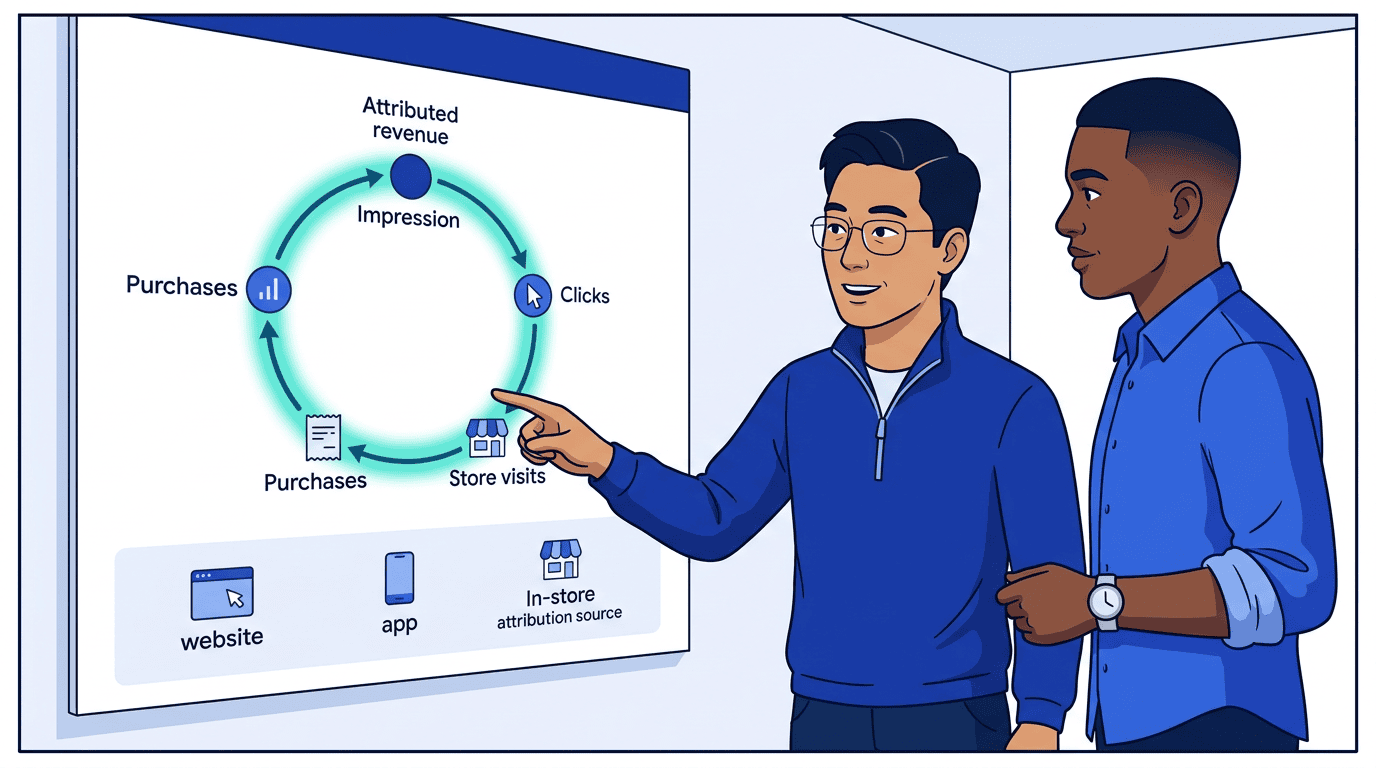 Commerce media's defining advantage is deterministic purchase attribution. Retailers match ad exposure to transactions using loyalty card data, login state, and point-of-sale records. This is the asset that makes retail media fundamentally different from every other media channel — and it's exactly what an agentic storefront exposes to buyer agents through standard delivery reporting.
### How products declare it
Products signal closed-loop capability through two fields:
**`reporting_capabilities.available_metrics`** declares which outcome metrics the product reports. Closed-loop retail media products typically report `conversions`, `conversion_value`, `roas`, `cost_per_acquisition`, `units_sold`, `new_to_brand_rate`, and incremental-lift metrics like `incremental_sales_lift` and `conversion_lift`. The methodology and attribution window flow through the `qualifier` slot on `committed_metrics` and `metric_aggregates` (`attribution_methodology: "deterministic_purchase"` for retail-media closed loop; `attribution_window: { interval: 14, unit: "days" }` for the 14-day match window).
```json theme={null}
{
"reporting_capabilities": {
"available_metrics": [
"conversions", "conversion_value", "roas", "cost_per_acquisition",
"units_sold", "new_to_brand_rate", "incremental_sales_lift"
]
}
}
```
The legacy `outcome_measurement` field is **deprecated** but continues to work for one minor. Existing payloads:
```json theme={null}
{
"outcome_measurement": {
"type": "attributed_sales",
"attribution": "deterministic_purchase",
"window": { "interval": 14, "unit": "days" },
"reporting": "daily_api"
}
}
```
…are equivalent to declaring `conversion_value` (the standardized name for "attributed sales") in `available_metrics` plus the matching qualifier on `committed_metrics`. Migrate by populating both fields during the transition window; remove `outcome_measurement` at the next major.
**`conversion_tracking`** declares action sources and whether the retailer manages measurement:
```json theme={null}
{
"conversion_tracking": {
"action_sources": ["website", "app", "in_store"],
"supported_targets": ["cost_per", "per_ad_spend"],
"platform_managed": true
}
}
```
When `platform_managed` is `true`, the retailer provides always-on measurement. No buyer-side pixel or event source configuration needed.
Different retailers use different attribution windows (e.g., 14-day click vs. 7-day click). The `attribution_window` in delivery responses makes this transparent so buyers can normalize ROAS comparisons across retailers.
### Key delivery metrics
| Metric | Field | Description |
| -------------------- | ---------------------- | ---------------------------------------------------- |
| Return on ad spend | `roas` | `conversion_value / spend` |
| Attributed revenue | `conversion_value` | Total purchase value attributed to ads |
| Conversions | `conversions` | Purchase events attributed to ads |
| Cost per acquisition | `cost_per_acquisition` | `spend / conversions` |
| New-to-brand rate | `new_to_brand_rate` | Fraction of conversions from first-time brand buyers |
| In-store sales | `by_action_source` | Breakdown by `website`, `app`, `in_store` |
| By event type | `by_event_type` | Breakdown by `purchase`, `add_to_cart`, etc. |
Commerce media's defining advantage is deterministic purchase attribution. Retailers match ad exposure to transactions using loyalty card data, login state, and point-of-sale records. This is the asset that makes retail media fundamentally different from every other media channel — and it's exactly what an agentic storefront exposes to buyer agents through standard delivery reporting.
### How products declare it
Products signal closed-loop capability through two fields:
**`reporting_capabilities.available_metrics`** declares which outcome metrics the product reports. Closed-loop retail media products typically report `conversions`, `conversion_value`, `roas`, `cost_per_acquisition`, `units_sold`, `new_to_brand_rate`, and incremental-lift metrics like `incremental_sales_lift` and `conversion_lift`. The methodology and attribution window flow through the `qualifier` slot on `committed_metrics` and `metric_aggregates` (`attribution_methodology: "deterministic_purchase"` for retail-media closed loop; `attribution_window: { interval: 14, unit: "days" }` for the 14-day match window).
```json theme={null}
{
"reporting_capabilities": {
"available_metrics": [
"conversions", "conversion_value", "roas", "cost_per_acquisition",
"units_sold", "new_to_brand_rate", "incremental_sales_lift"
]
}
}
```
The legacy `outcome_measurement` field is **deprecated** but continues to work for one minor. Existing payloads:
```json theme={null}
{
"outcome_measurement": {
"type": "attributed_sales",
"attribution": "deterministic_purchase",
"window": { "interval": 14, "unit": "days" },
"reporting": "daily_api"
}
}
```
…are equivalent to declaring `conversion_value` (the standardized name for "attributed sales") in `available_metrics` plus the matching qualifier on `committed_metrics`. Migrate by populating both fields during the transition window; remove `outcome_measurement` at the next major.
**`conversion_tracking`** declares action sources and whether the retailer manages measurement:
```json theme={null}
{
"conversion_tracking": {
"action_sources": ["website", "app", "in_store"],
"supported_targets": ["cost_per", "per_ad_spend"],
"platform_managed": true
}
}
```
When `platform_managed` is `true`, the retailer provides always-on measurement. No buyer-side pixel or event source configuration needed.
Different retailers use different attribution windows (e.g., 14-day click vs. 7-day click). The `attribution_window` in delivery responses makes this transparent so buyers can normalize ROAS comparisons across retailers.
### Key delivery metrics
| Metric | Field | Description |
| -------------------- | ---------------------- | ---------------------------------------------------- |
| Return on ad spend | `roas` | `conversion_value / spend` |
| Attributed revenue | `conversion_value` | Total purchase value attributed to ads |
| Conversions | `conversions` | Purchase events attributed to ads |
| Cost per acquisition | `cost_per_acquisition` | `spend / conversions` |
| New-to-brand rate | `new_to_brand_rate` | Fraction of conversions from first-time brand buyers |
| In-store sales | `by_action_source` | Breakdown by `website`, `app`, `in_store` |
| By event type | `by_event_type` | Breakdown by `purchase`, `add_to_cart`, etc. |
 ## Differences from traditional media buying
| Aspect | Traditional media | Commerce media |
| -------------------- | ------------------------ | --------------------------------------------------- |
| Attribution | Probabilistic, modeled | Deterministic, purchase-based |
| Targeting data | Third-party, contextual | First-party purchase/loyalty data |
| Primary KPIs | Impressions, clicks, CTR | ROAS, conversions, attributed revenue |
| Creative (sponsored) | Buyer-provided | Catalog-rendered by retailer |
| Measurement owner | Third-party (IAS, DV) | Retailer platform (`platform_managed`) |
| Conversion sources | Website only | Website + app + in-store |
| Landing page | Any destination | Often retailer site only |
| Pricing models | CPM, CPC, CPCV | CPC (sponsored), CPM (display), flat rate (premium) |
## Best practices
### For retailers: standing up an agentic storefront
The default retail media playbook — build a self-service platform, hire a sales team, grow managed service revenue, eventually build a DSP — works for the largest retailers. For everyone else, it means years of engineering investment competing against platforms with orders-of-magnitude more resources.
An agentic storefront changes the economics. Instead of building a platform that brands must learn, you expose your inventory through a standard protocol that buyer agents already speak. Your engineering investment goes into your actual differentiators — data quality, measurement accuracy, inventory breadth — not into dashboard UX.
1. **Model product types separately** — sponsored products, on-site display, off-site, premium placements, and in-store digital should be distinct products with appropriate pricing and formats. This is how buyer agents comparison-shop across retailers.
2. **Lead with your data** — declare `outcome_measurement` with `deterministic_purchase` attribution and `conversion_tracking` with `platform_managed: true`. This is what buyer agents optimize against. Retailers with weak measurement lose to retailers with strong measurement, regardless of UI quality.
3. **Expose your physical footprint** — provide store catalogs with catchment areas so buyer agents can target by geography. In-store digital inventory is something no online-only platform can offer. Make it discoverable.
4. **Return `catalog_match`** on sponsored product listings so buyers see which GTINs/SKUs are eligible. This is the equivalent of a sales rep saying "we carry 3 of your 1,200 products" — but it happens automatically at query time.
5. **Include `attribution_window`** in delivery responses — buyers comparing across retailers need to know your lookback windows and model.
6. **Report `by_action_source`** to show omnichannel impact — website, app, and in-store conversions. The cross-channel view is unique to commerce media and drives budget allocation.
7. **Use proposals** — return recommended budget allocations across product types with `get_products` responses. This encodes your media planning expertise into the protocol, replacing the sales rep conversation with structured data that buyer agents can evaluate.
8. **Set `channels: ["retail_media"]`** on all commerce media products so buyers can filter by channel.
### For brands
1. **Set up accounts early** — use `list_accounts` to confirm your billing relationship with each retailer before placing buys
2. **Sync product and inventory feeds early** — product and inventory catalogs should be synced to the account before creating buys. Inventory feeds update hourly; product feeds daily.
3. **Reference retailer store catalogs in targeting** — the retailer's store locations and catchment areas are platform-side data. Use them for proximity targeting without needing to sync your own store catalog.
4. **Use `optimization_goals`** — set event goals with `cost_per` or `per_ad_spend` targets on packages to let the retailer optimize delivery against their purchase data
5. **Use catalog selectors strategically** — `gtins` for specific products, `tags` or `category` for broad promotions
6. **Budget across the funnel** — sponsored products for conversion, on-site display for awareness, off-site for reach extension
7. **Compare attribution windows** — use `attribution_window` in delivery reports to normalize ROAS across retailers with different lookback windows
## Related documentation
* [Account state](/docs/building/integration/account-state) — How catalogs, event sources, and campaigns build on the account
* [Accounts & Agents](/docs/building/integration/accounts-and-agents) — Account setup and billing relationships
* [Media Channel Taxonomy](/docs/reference/media-channel-taxonomy) — `retail_media` channel definition
* [Media Products](/docs/media-buy/product-discovery/media-products) — Product model reference
* [Catalogs](/docs/creative/catalogs) — Product, inventory, store, and promotion feeds
* [Brand identity](/docs/brand-protocol/brand-json) — Product catalog and brand identity
* [Pricing Models](/docs/media-buy/advanced-topics/pricing-models) — CPC, CPM, flat rate details
* [Optimization & Reporting](/docs/media-buy/media-buys/optimization-reporting) — `optimization_goals` and conversion optimization
* [Delivery Reporting](/docs/media-buy/task-reference/get_media_buy_delivery) — Commerce attribution metrics
* [Targeting](/docs/media-buy/advanced-topics/targeting) — Brief-based targeting approach
## Differences from traditional media buying
| Aspect | Traditional media | Commerce media |
| -------------------- | ------------------------ | --------------------------------------------------- |
| Attribution | Probabilistic, modeled | Deterministic, purchase-based |
| Targeting data | Third-party, contextual | First-party purchase/loyalty data |
| Primary KPIs | Impressions, clicks, CTR | ROAS, conversions, attributed revenue |
| Creative (sponsored) | Buyer-provided | Catalog-rendered by retailer |
| Measurement owner | Third-party (IAS, DV) | Retailer platform (`platform_managed`) |
| Conversion sources | Website only | Website + app + in-store |
| Landing page | Any destination | Often retailer site only |
| Pricing models | CPM, CPC, CPCV | CPC (sponsored), CPM (display), flat rate (premium) |
## Best practices
### For retailers: standing up an agentic storefront
The default retail media playbook — build a self-service platform, hire a sales team, grow managed service revenue, eventually build a DSP — works for the largest retailers. For everyone else, it means years of engineering investment competing against platforms with orders-of-magnitude more resources.
An agentic storefront changes the economics. Instead of building a platform that brands must learn, you expose your inventory through a standard protocol that buyer agents already speak. Your engineering investment goes into your actual differentiators — data quality, measurement accuracy, inventory breadth — not into dashboard UX.
1. **Model product types separately** — sponsored products, on-site display, off-site, premium placements, and in-store digital should be distinct products with appropriate pricing and formats. This is how buyer agents comparison-shop across retailers.
2. **Lead with your data** — declare `outcome_measurement` with `deterministic_purchase` attribution and `conversion_tracking` with `platform_managed: true`. This is what buyer agents optimize against. Retailers with weak measurement lose to retailers with strong measurement, regardless of UI quality.
3. **Expose your physical footprint** — provide store catalogs with catchment areas so buyer agents can target by geography. In-store digital inventory is something no online-only platform can offer. Make it discoverable.
4. **Return `catalog_match`** on sponsored product listings so buyers see which GTINs/SKUs are eligible. This is the equivalent of a sales rep saying "we carry 3 of your 1,200 products" — but it happens automatically at query time.
5. **Include `attribution_window`** in delivery responses — buyers comparing across retailers need to know your lookback windows and model.
6. **Report `by_action_source`** to show omnichannel impact — website, app, and in-store conversions. The cross-channel view is unique to commerce media and drives budget allocation.
7. **Use proposals** — return recommended budget allocations across product types with `get_products` responses. This encodes your media planning expertise into the protocol, replacing the sales rep conversation with structured data that buyer agents can evaluate.
8. **Set `channels: ["retail_media"]`** on all commerce media products so buyers can filter by channel.
### For brands
1. **Set up accounts early** — use `list_accounts` to confirm your billing relationship with each retailer before placing buys
2. **Sync product and inventory feeds early** — product and inventory catalogs should be synced to the account before creating buys. Inventory feeds update hourly; product feeds daily.
3. **Reference retailer store catalogs in targeting** — the retailer's store locations and catchment areas are platform-side data. Use them for proximity targeting without needing to sync your own store catalog.
4. **Use `optimization_goals`** — set event goals with `cost_per` or `per_ad_spend` targets on packages to let the retailer optimize delivery against their purchase data
5. **Use catalog selectors strategically** — `gtins` for specific products, `tags` or `category` for broad promotions
6. **Budget across the funnel** — sponsored products for conversion, on-site display for awareness, off-site for reach extension
7. **Compare attribution windows** — use `attribution_window` in delivery reports to normalize ROAS across retailers with different lookback windows
## Related documentation
* [Account state](/docs/building/integration/account-state) — How catalogs, event sources, and campaigns build on the account
* [Accounts & Agents](/docs/building/integration/accounts-and-agents) — Account setup and billing relationships
* [Media Channel Taxonomy](/docs/reference/media-channel-taxonomy) — `retail_media` channel definition
* [Media Products](/docs/media-buy/product-discovery/media-products) — Product model reference
* [Catalogs](/docs/creative/catalogs) — Product, inventory, store, and promotion feeds
* [Brand identity](/docs/brand-protocol/brand-json) — Product catalog and brand identity
* [Pricing Models](/docs/media-buy/advanced-topics/pricing-models) — CPC, CPM, flat rate details
* [Optimization & Reporting](/docs/media-buy/media-buys/optimization-reporting) — `optimization_goals` and conversion optimization
* [Delivery Reporting](/docs/media-buy/task-reference/get_media_buy_delivery) — Commerce attribution metrics
* [Targeting](/docs/media-buy/advanced-topics/targeting) — Brief-based targeting approach